
SAUDIA电脑版介绍:SAUDIA电脑版航空应用程序为旅客提供便捷的一站式出行服务,支持机票预订、在线值机、电子登机牌获取及行程管理。ALFURSAN会员可通过专属仪表盘查询里程积分、奖励信息和飞行记录。用户可快速购买额外行李、优选座位、WiFi等附加服务,并通过简化流程完成改签、升舱等操作。所有预订信息和登机牌均支持离线存储,实现无缝出行体验。
应用介绍
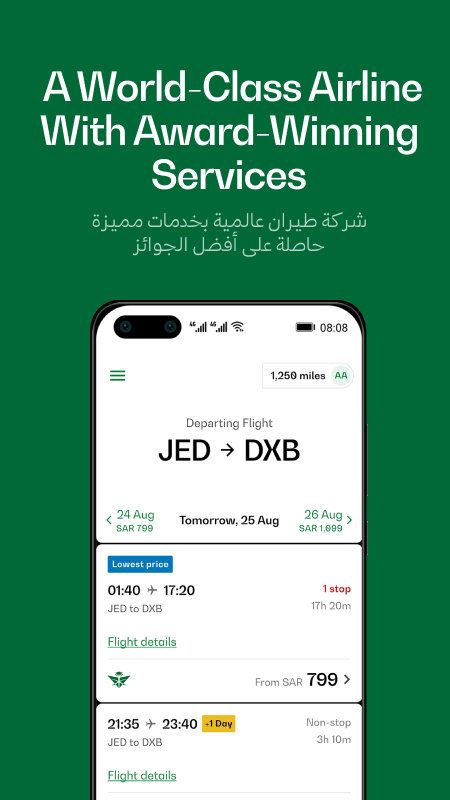
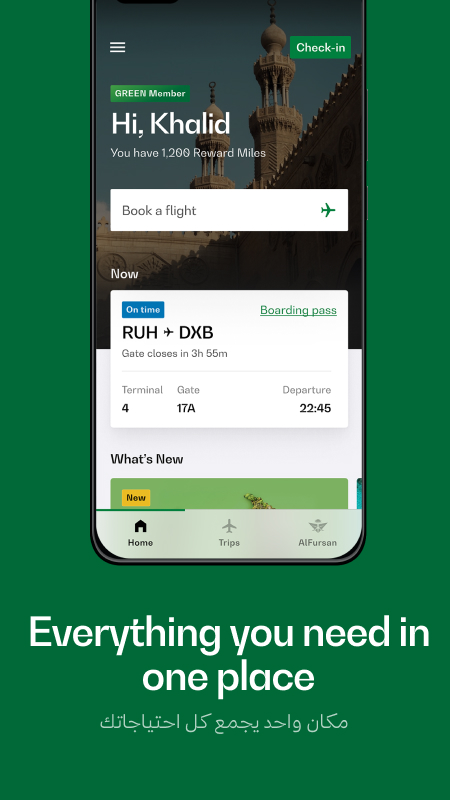
The Saudia mobile app offers travelers a sleek and superior experience to Book, Manage Trips, Check-In and more. ALFURSAN members have access to a dashboard with key account information at their fingertips – making the app the ultimate traveler companion.
FEATURES
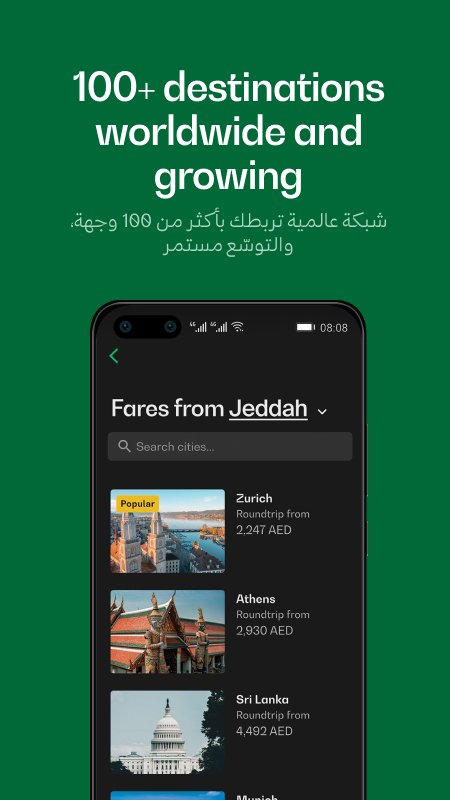
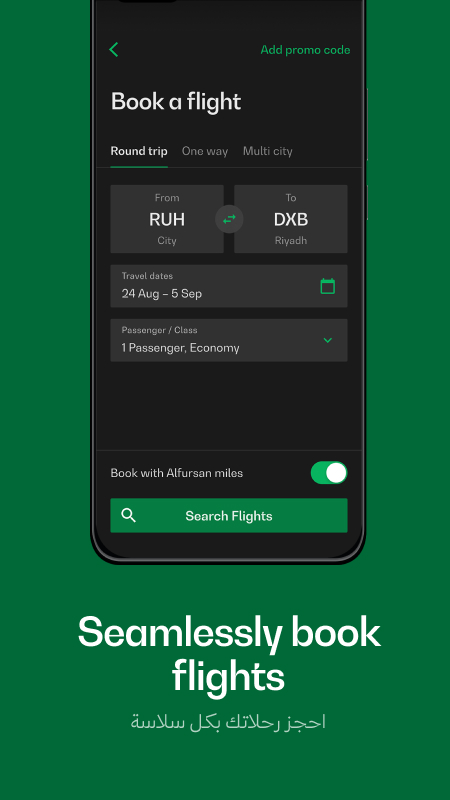
BOOKING FLIGHTS & PURCHASING ANCILLARIES
- Book your flights quickly and seamlessly.
- All of your passengers' details are stored on your phone.
- Purchase extras such as Extra Legroom Seats, WiFi, Fast Track and Extra Baggage.
- Pay with Visa, Master Card, American Express, MADA or SADAD.
CHECK-IN
- Check-in online and obtain your boarding pass. You have the option to view the digital boarding pass directly in the App or receive it via SMS or email as a digital copy.
- Check-in all your passengers while on the move up to 60-minutes before departure time.
- Boarding passes are stored on your phone offline.
- Enhance your trip with ease, now you can book a hotel, rent a car, and more - all in one convenient place!
ALFURSAN Dashboard
- ALFURSAN fast enrollment after completing passengers' details during flight booking.
- Retrieve and update your own ALFURSAN profile.
- Retrieve your miles and rewards.
- Retrieve your flight history.
MY BOOKINGS & MORE
- Retrieve your bookings made outside the app easily and store them on your phone offline.
- From changing seats to adding baggage, you can now manage everything in one place!
- Streamline your journey using simplified rebooking flow and easily purchase add-ons.
- Make an offer to upgrade your cabin through booking management.
更新日志
优化系统性能,体验更顺畅。
安装步骤
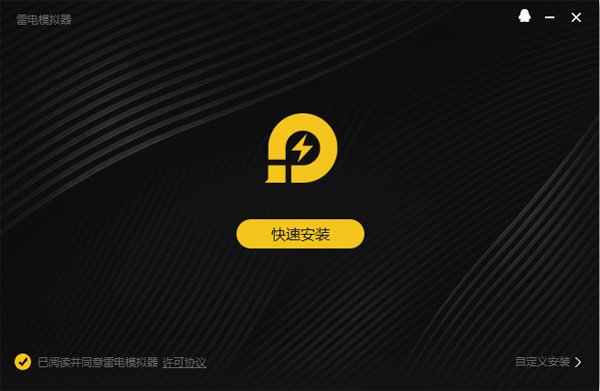
特别说明:当前应用官方尚未出品对应的电脑版,可通过安卓模拟器运行官方正版应用apk的形式满足电脑端使用需求,以下是安装步骤:
1、首先在本站下载安装包的压缩文件,文件中包含一个安卓模拟器exe安装程序与一个当前应用的官方APK文件,先将压缩文件解压。
2、先点击安卓模拟器exe程序安装模拟器,双击“雷电模拟器.exe”文件,进入安装界面,用户可以点击“安装”选择系统默认的安装地址进行安装,也可以点击“自定义安装”自主选择安装路径,这里推荐自定义安装。
3、等待雷电模拟器安装完成,然后点击“立即启动”打开模拟器。
4、进入模拟器主界面,点击右上角图标选择“本地APK安装”按钮。
5、在弹出的窗口中,点击解压后的当前应用的APK文件,然后点击打开。
6、之后软件就会进入安装中,需要稍等片刻,软件安装完成后,就会出现在我的软件列表中,点击图标就可以双击打开使用了。
小编寄语
SAUDIA是大家都很熟悉的一款安卓应用,用户群体非常广泛,简单易上手,非常方便。PC下载网小编还为大家整理了其他几款备受用户好评的安卓应用,AirMore,宝宝巴士奇妙屋,企安云培,有需要的同学直接点击下载即可!



 奥维互动地图
 企查查
企查查
 用药助手
用药助手
 百度贴吧
百度贴吧
 柠檬云记账
柠檬云记账
 Keep健身
 高德地图
高德地图